FlareFlow: is it legit, what does it cost and how do you cancel?
 A short drama, free in our appMarried by MistakeIn Venice, florist Chiara delivers roses to a wedding and, through a mix-up, marries a stranger: Leonardo, a Murano glassmaker.Watch free in the appFirst 8 episodes free · about a minute each · free app, no card
In short: FlareFlow is a real app: FlareFlow Pte. Ltd. publishes it, the US App Store shows 4.7 from 11K ratings, it's rated 13+, and it's built around one-minute episodes. It's free to download. The listing then shows six "One-time Purchase" lines from $2.99 to $24.99 and three "Unlimited viewing" lines at $19.99, $24.99 and $39.99. What it doesn't show is whether "unlimited" means a week, a month or a single payment, so don't guess: read the billing period on Apple's or Google's purchase sheet before you confirm. The interface is English only. Prices are from the US listing read on 2 October 2026.

We make TotalShort, a short drama app: we say so wherever it matters. Facts about other apps come from their official App Store and Google Play pages and may change.
What FlareFlow is and how it works
What the listing says it is
FlareFlow calls itself "1-Minute Dramas": HD mini-dramas in romance, revenge, thriller and fantasy, one swipe per episode. The description lists adjustable playback speed, personalized recommendations, new episodes added daily and an "ad-free" experience, and mentions VIP perks including exclusive content and offline downloads [1]. If you've never tried the format, read what a short drama is first.
The data we could verify
All of this comes from the official US App Store page, read on 2 October 2026 [1].
| Item | What the listing says |
|---|---|
| Publisher | FlareFlow Pte. Ltd. |
| Rating | 4.7 out of 5, 11K ratings |
| Age rating | 13+ |
| Price | Free, with in-app purchases |
| Language | English |
| Size | 196.6 MB |
| Requires | iOS 15 or later (iPhone) |
What the numbers do and don't tell you
Eleven thousand ratings is a real sample but a small one next to GoodShort's 527K or DramaBox's 867K in our dataset. A rating says nothing about how a particular purchase is billed, which is the part that costs money.
How much does FlareFlow really cost?
The purchases on the US listing
| Listed as | Prices |
|---|---|
| One-time Purchase | $2.99, $4.99, $9.99, $14.99, $19.99, $24.99 |
| Unlimited viewing | $19.99, $24.99, $39.99 |
The listing gives no coin or episode counts for the one-time purchases, so we can't turn them into a price per episode. It also doesn't say whether each "Unlimited viewing" option is weekly, monthly or paid once. That's the single most important unknown on this page.
Why the unknown matters: worked examples
The calculations below are plain arithmetic on listed prices. The periods are hypotheses, not facts, which is exactly the point: the same sticker price can mean very different money.
| If the $19.99 unlimited option were... | Calculation | Cost |
|---|---|---|
| paid once | 1 × $19.99 | $19.99 |
| weekly, kept for 4 weeks | 4 × $19.99 | $79.96 |
| monthly, kept for a year | 12 × $19.99 | $239.88 |
| If the $39.99 unlimited option were... | Calculation | Cost |
|---|---|---|
| weekly, kept for 4 weeks | 4 × $39.99 | $159.96 |
| monthly, kept for a year | 12 × $39.99 | $479.88 |
One more, for the cautious: buying each of the four smallest one-time purchases once costs $2.99 + $4.99 + $9.99 + $14.99 = $32.96. And if you assume you'd watch 7 hours in the one week the $19.99 option covers (about 420 one-minute episodes), that's $19.99 ÷ 7 = about $2.86 an hour. Those are our assumptions. Only the purchase sheet tells you what you're actually buying.
Read the sheet like this
Before you confirm any purchase, check three things on the Apple or Google sheet: the name of the item, the period ("every week", "every month" or none), and the date it renews. If there's no period and it says it's a one-time purchase, it won't renew. If you can't find the period, cancel the purchase and don't pay.
Is FlareFlow free?
What's free
Installing and opening the app costs nothing [1]. How many episodes are free per series isn't on the listing and may change, so we don't give a number. The description also mentions an ad-free experience without saying what the free version shows, so check how the app behaves before you decide you need VIP.
Free ways to watch short dramas
If you want to see whether you like the format without paying anyone, our free short dramas guide lists the legal routes across apps. Sites and files that promise "free VIP" are copies outside the stores; they infringe the publisher's rights and can put your account or card at risk.
Is FlareFlow legit and safe?
Why it counts as a real app
It has a named publisher, an official store page, a 4.7 rating and an explicit list of its purchases, with billing handled by Apple or Google. There's nothing on the listing that points to a problem, and we haven't tested the app beyond reading that listing, so we make no claim about how the app behaves day to day.
Who runs FlareFlow, according to its terms
FlareFlow's terms of service, effective from 13 February 2026, describe it as "a short drama application and website" operated by FLAREFLOW PTE. LTD., a company with its address at International Plaza, 10 Anson Road, Singapore [8]. The points that matter if you pay:
- Age. At least 13, and under 18 only with a parent's or guardian's consent. That matches the 13+ store rating [8].
- Refunds. Subscription payments are final and non-refundable except where the law requires otherwise. If you think you were charged by mistake, the terms give 30 days to write to [email protected] [8].
- Coins and virtual items. Sales are final, and the terms say virtual currency is lost if the account or the service ends, so don't stock up [8].
- Law. The terms are governed by the laws of Singapore [8].
The website at flareflow.tv is a short page with the terms, the privacy policy and that contact address; on 6 October 2026 we found no player or shop there [9]. You watch and pay in the app.
What the privacy label says
The App Privacy section says Identifiers and Usage Data may be used to track you across other companies' apps and websites. Purchases, Contact Info, Identifiers and Usage Data may be collected and linked to you, and product interaction and diagnostics are collected without being linked to you [1]. You can decline tracking when iOS asks.
A checklist you can run yourself
- The publisher on the store page is FlareFlow Pte. Ltd., and you installed from the App Store or Google Play, not from a link in a comment.
- You read the item name and billing period on the purchase sheet, not just the price.
- You wrote down the renewal date, if there is one, and set a reminder before it.
- You scrolled the most recent store reviews for billing or support complaints and decided for yourself how much weight to give them.
- You turned on a purchase limit (see below) before paying the first time.
- You ignore "free VIP" or "unlimited" offers from outside the stores.
How to spend no more than you planned
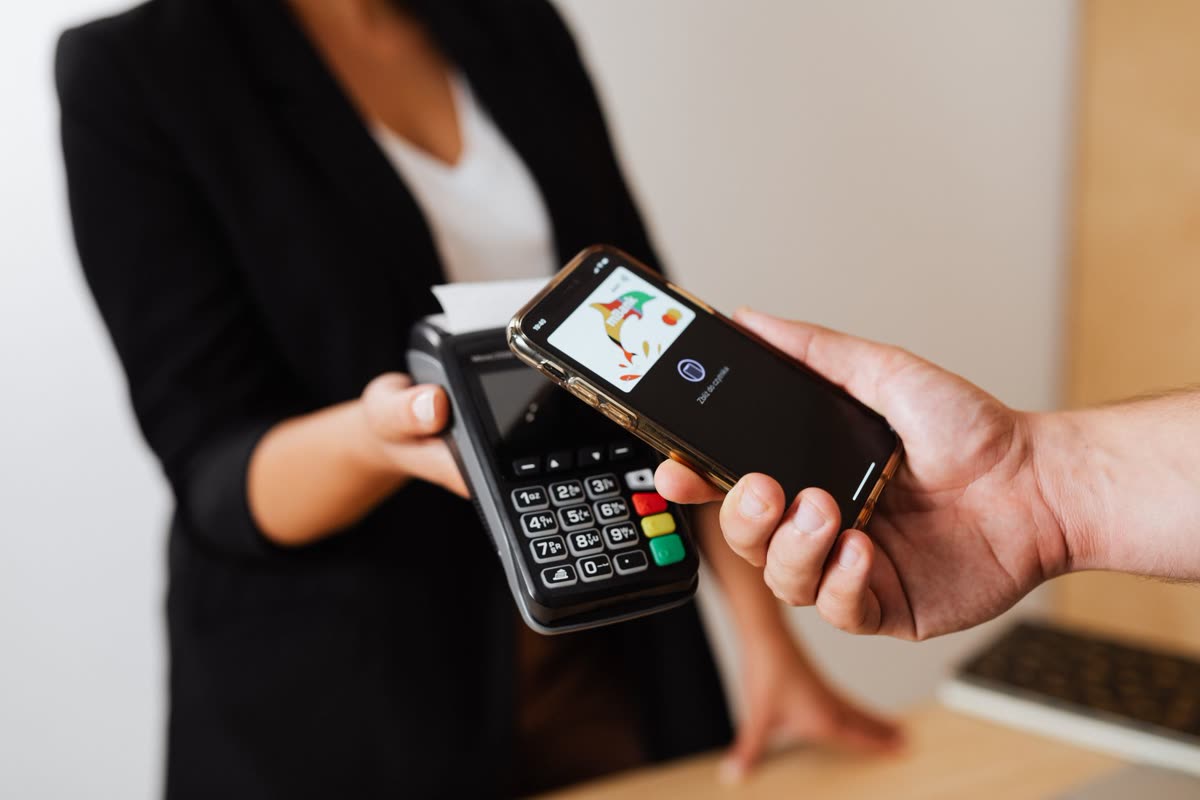
iPhone: block in-app purchases
On Apple's support page: open Settings, tap Screen Time, then Apps & Websites, then App Store, tap In-app Purchases and choose Blocked [2]. Unblock when you're ready to buy. You can alternatively require a password for future App Store purchases.
iPhone: shared phone or a teenager
With Family Sharing, Ask to Buy sends the request to an adult for approval, and on a shared device you can require a password for every purchase [2]. The app is rated 13+, so this is worth setting up for a teen before the first launch.
Android: require verification on every purchase
Google says purchase verification helps prevent accidental or unauthorized purchases. In the Google Play app, tap your profile picture, then Payments & subscriptions, then Purchase verification, choose the requirement or frequency, and confirm [3].
Android: approvals, budget and history
Parents can require approval for in-app purchases through Family Link or the Play family settings [4]. Google's Subscriptions center also lets you manage subscriptions in one place, set a monthly budget and look at payment history [5].
Who FlareFlow suits, and who should skip it
You read English and like tiny episodes
It's an easy way to test the format with a small first purchase: the lowest listed amount is $2.99. Test with that before anything marked unlimited.
You want one binge weekend
If an unlimited option is weekly, one week could be enough, as long as you cancel straight after buying. Confirm the period first, then set the reminder.
You need another language
The listing shows English only [1]. Look at DramaWave or NetShort, which list more languages in our dataset (25 and 17).
You want a catalog to browse for months
That's not what the listing sells. It stresses daily updates, not catalog size, so compare with GoodShort and the other apps in our best short drama apps guide.
FlareFlow versus the alternatives
The table comes from official US listings read on 2 October 2026. Prices are in dollars and listed periods differ, so it's a map, not a ranking.
| App | Developer | Rating | Age | Languages | Listed purchases |
|---|---|---|---|---|---|
| TotalShort our app | Agape Group GmbH | New on Google Play | 14+ (per series) | EN, IT | €0.99 and up (EUR) |
| ReelShort | NewLeaf Publishing | 4.7 (504K) | 13+ | 22 | $4.99–$29.99 |
| DramaBox | STORYMATRIX PTE. LTD. | 4.8 (867K) | 18+ | 16 | $4.99–$19.99 |
| ShortMax | SHORTTV LIMITED | 4.6 (177K) | 18+ | 20 | $3.49–$24.99 |
| DramaWave | SKYWORK AI PTE LTD | 4.9 (180K) | 13+ | 25 | $6.99–$36.99 |
| NetShort | NETSTORY PTE. LTD. | 4.7 (214K) | 13+ | 17 | $6.99–$29.99 |
| FlareFlow | FlareFlow Pte. Ltd. | 4.7 (11K) | 13+ | English only | $2.99–$39.99 |
| GoodShort | SINGAPORE NEW READING TECHNOLOGY PTE. LTD. | 4.9 (527K) | 13+ | 14 | $4.99–$24.99 |
Source: official App Store listings, US storefront, read on October 2, 2026. “Listed purchases” is the range of in-app purchase prices shown on the listing, in US dollars; it is not a price list and changes by country.
Only apps whose listing labels a purchase as weekly. Read on October 2, 2026. ReelShort and DramaBox list subscriptions without stating the period on the listing, so they are not charted. TotalShort: our weekly VIP price for the US App Store; the app is on the App Store and Google Play.
FlareFlow lists no weekly price in our data (neither do ReelShort and DramaBox) and is the only app in the dataset with a single interface language, against 14 to 25 for the others. That's a choice, not a flaw, but it makes like-for-like comparison harder.


The TotalShort option
We make TotalShort, so weigh this section accordingly. It's a short drama app with a growing catalog of Italian-set series, made with AI and labeled as such, episodes of about 31 to 65 seconds, 12 per series. The first 8 episodes of each series are free, then one a day per series. After that, an episode costs 30 coins (€0.30), with a confirmation every time, and coins don't expire. You watch it in the iPhone and Android app, with the interface in English and Italian.
The arithmetic of finishing a TotalShort series
- 8 episodes
- freeevery series
- Episodes 9–12
- 4 × 30 coins= 120 coins = €1.20
- Or the free daily episode
- 1 per series per dayfree in 4 days
- VIP break-even
- €5.99 ÷ €0.30≈ 20 paid episodes a week
Coins are worth €0.01 each. Prices of coin packs and VIP are shown in the app before every purchase. They are in euros; on the US App Store the weekly VIP is set at $5.99, and the store always shows your country’s price before you pay.
Compare the shapes, not the prices. After the 8 free episodes, finishing a 12-episode series is 4 × €0.30 = €1.20 if you pay for every remaining episode, less if you use the free daily episode. The honest limits: the catalog is still growing and VIP is €5.99 a week or €59.99 a year with no free trial. Euros and dollars aren't like-for-like. To get a feel for the stories, open the page for episode 1 of If I Could Do It All Again or browse all series.
How to cancel FlareFlow
iPhone
Open Settings, tap your name, tap Subscriptions, choose FlareFlow and tap Cancel Subscription (scroll down if you don't see it). If there's no Cancel button, or you see a red expiry message, it's already cancelled [6]. If FlareFlow isn't in the list, what you bought may be a one-time purchase; check your receipt.
Android
Open Subscriptions in Google Play, choose FlareFlow, tap Cancel subscription and follow the prompts. Uninstalling the app does not cancel the subscription [7].
Refunds and access
After cancelling, you keep access until the end of the period you've paid for. Refunds aren't handled by the app: ask Apple at reportaproblem.apple.com or Google Play. Google says past subscriptions generally can't be refunded, with exceptions [7]. FlareFlow's own terms add one route: a charge you believe was a mistake can be reported to [email protected] within 30 days [8]. See our cancellation guide.
Common mistakes
Assuming "unlimited" means one payment
The listing doesn't say. Read the period on the purchase sheet.
Deleting the app to stop paying
Deleting the app doesn't cancel anything. Cancel in Apple or Google settings.
Buying the biggest option first
Start with the smallest purchase and see if the app and its episodes suit you.
Skipping the renewal reminder
Apple advises cancelling at least 24 hours before a trial or period ends [6]. Set the reminder when you buy.
Expecting a language you can't see
The listing says English. If you need subtitles in another language, test before paying.
Frequently asked questions
Is FlareFlow legit?
Yes, as far as the store listing shows: it's published by FlareFlow Pte. Ltd., has a 4.7 rating from 11K ratings on the US App Store, and bills through Apple or Google instead of an outside payment page. The listing names every purchase and price. We haven't tested the app beyond reading that page, and the listing doesn't tell you how each purchase renews, so read the billing period on the purchase sheet. Install only from the App Store or Google Play, and avoid unofficial files or sites offering "free VIP", which can put your account at risk.
Is FlareFlow free?
It's free to download and open, with in-app purchases [1]. How many episodes are free depends on the series and isn't on the store page, so we don't give a number. The description mentions an ad-free experience and VIP perks such as offline downloads, but doesn't say what the free version looks like, so check in the app before deciding you need to pay. If you'd rather test the format without paying anyone, our free short dramas guide covers the legal options, and TotalShort gives the first 8 episodes of each series free.
How much does FlareFlow cost?
The US listing, read on 2 October 2026, shows One-time Purchase lines at $2.99, $4.99, $9.99, $14.99, $19.99 and $24.99, and Unlimited viewing lines at $19.99, $24.99 and $39.99. Whether "unlimited" is weekly, monthly or one-off is not stated, and the difference is large: $19.99 once is $19.99, but $19.99 every week for four weeks is $79.96. Prices change by country and promotion, so trust the purchase sheet in your own store over any table, including ours, and read the period before you confirm. If the sheet doesn't show one, stop there and don't pay. A price without a period is not enough information to spend money on.
Is FlareFlow a subscription?
The listing doesn't say outright. It has "Unlimited viewing" lines and "One-time Purchase" lines, and it gives no billing period for the unlimited ones. The Apple or Google purchase sheet shows the period and renewal date before you pay; if it names a period, it's recurring. After buying, look under Settings, your name, Subscriptions on iPhone, or Subscriptions in Google Play. If FlareFlow appears there, it renews until you cancel; if it doesn't, what you bought may be a one-off. Either way, set a reminder for the renewal date the moment you pay, not a week later.
Is FlareFlow available in other languages?
Not on the listing: it shows English as the only language [1]. That's the interface language; whether individual series carry subtitles isn't stated, so open a series and check before paying. If you need another language, DramaWave (25 interface languages in our dataset) and NetShort (17) list many more, and TotalShort is in English and Italian. Whatever you choose, don't pay for a subscription hoping a language will show up later, because apps change but your charge is immediate. A day of testing on a cheap, one-off purchase is a better use of the first $2.99 than a month of anything marked unlimited.
Is FlareFlow worth paying for?
If you read English and want one-minute episodes, a small first purchase can be a reasonable test: the lowest listed is $2.99. It's harder to recommend the larger unlimited options until you know the period, because $39.99 could mean very different amounts of money over a month. Compare the free episodes and prices of a couple of apps, read the billing period, and set a reminder and a purchase limit before you pay. If you want a big catalog to browse for months, other apps in our dataset are built for that, and our best short drama apps guide compares them.
Is it safe to download FlareFlow?
From the official store, yes. The listing shows 196.6 MB, iOS 15 or later and a 13+ rating. The privacy section says identifiers and usage data may be used to track you across other companies' apps and websites, and that purchases, contact info, identifiers and usage data may be linked to you [1]. You can decline tracking when iOS asks. Install only from the App Store or Google Play, never type your Apple or Google password anywhere except the system purchase sheet, and turn on Ask to Buy or purchase blocking for a teenager before the first launch.
How do I cancel FlareFlow?
Not inside the app. On iPhone: Settings, your name, Subscriptions, FlareFlow, Cancel Subscription. On Android: Google Play, Subscriptions, FlareFlow, Cancel subscription. Deleting the app doesn't cancel it. You keep access until the end of the paid period, and cancelling at least 24 hours before renewal avoids another charge. Refunds are requested from Apple (reportaproblem.apple.com) or Google Play, not from FlareFlow, and Google says past subscriptions generally can't be refunded apart from exceptions [7]. If the Cancel button is missing or the date is in red, Apple says it's already cancelled. Our cancellation guide has the full walk-through.
Who owns FlareFlow?
FLAREFLOW PTE. LTD., a Singapore company. It is the developer named on the App Store, and its terms of service, effective from 13 February 2026, give its address as International Plaza, 10 Anson Road, Singapore, and its contact as [email protected] [1][8]. The terms apply Singapore law, set the minimum age at 13 with a parent's consent required under 18, and say subscription payments and coin purchases are final except where the law says otherwise. The website flareflow.tv only hosts the legal pages and the contact address, so the app is where you watch and pay.
Sources
- App Store, official FlareFlow listing (publisher, rating, age, language, size, in-app purchases, description, privacy), US storefront, read on 2 October 2026: FlareFlow on the App Store.
- Apple Support, "Prevent unauthorized purchases on iPhone and iPad with Screen Time", read on 2 October 2026: support.apple.com.
- Google Play Help, purchase verification, read on 2 October 2026: support.google.com.
- Google Play Help, parental controls and purchase approvals: support.google.com.
- Google Play Help, payments and subscriptions in the Play Store: support.google.com.
- Apple Support, "Cancel a subscription from Apple": support.apple.com.
- Google Play Help, "Cancel, pause, or change a subscription on Google Play": support.google.com.
- FlareFlow, Terms of Services (FLAREFLOW PTE. LTD.), effective and last updated 13 February 2026: flareflow.tv/terms.html.
- FlareFlow website, read on 6 October 2026: flareflow.tv.
Curious about the format before you pay anyone? Browse the series on TotalShort: the app is on the App Store and Google Play, and the first 8 episodes of every series are free.
Get the App
Watch on your phone: swipe, and the next episode starts.
Point your phone’s camera at the code to get the app.